

You are comparing two CTR tools and need to know which one actually delivers clicks you can verify. Both promise organic CTR campaigns, but they differ on proof, coverage and how failed visits get handled.
This comparison gives you a direct verdict on SearchSEO vs CTRTool, then breaks down what each tool does, how their features stack up across Search, Maps and AI Overviews, and how their pricing and credit models treat failed visits. By the end, you will know which option fits your campaign goals.
Quick Verdict: SearchSEO vs CTRTool for Organic CTR
If you need verifiable proof that every CTR visit actually happened, CTRTool's screenshot-backed campaigns for Google, Bing, Maps and AI Overviews make it the stronger pick; if you prioritize a broad feature suite over proof granularity, SearchSEO may suit you. That single difference in evidence quality shapes almost every other comparison between the two tools.
For CTRTool, the deciding factor is auditability. Every visit produces search and landing screenshots as separate proof images, so a campaign manager can confirm what happened rather than trust a dashboard number. Full visit paths and keyword positions tracked over time, including Maps listing order and AI citation order, add context that raw click counts cannot provide.
For SearchSEO, the deciding factor is breadth. It is generally positioned as a wider SEO toolkit, and buyers who want many capabilities under one subscription often weigh that variety heavily. The trade-off is that proof granularity tends to take a back seat when a platform spreads its focus across a large feature set.
CTRTool also softens the risk of paying for unverified activity. Its pay-for-results credit model charges nothing for technical failures before landing, and visits that cannot verify the requested location use no credits. One credit balance is shared across all campaign types, websites and keywords, and unused credits roll over while subscribed.
| Buyer type | Better fit | Why |
|---|---|---|
| Needs proof for every visit | CTRTool | Screenshot proof, full visit paths, position tracking |
| Wants a wide general toolkit | SearchSEO | Broader positioning across many SEO functions |
| Runs large campaign volumes | CTRTool | Up to 100 campaigns with 100 keywords each |
| Wants deeper sessions | CTRTool | Visits up to 5 minutes with up to 5 additional internal pages |
Recommendation: choose CTRTool if accountability for each SERP click matters most, and consider SearchSEO if a broad feature lineup outweighs proof detail for your workflow.
At a glance: how CTRTool compares to SearchSEO on the features that matter most.
| Feature | CTRTool | SearchSEO |
|---|---|---|
| Pricing | $59-$699/mo | Price on request |
| Free plan / trial | ✗ | 3-day free trial |
| CTR manipulation campaigns | ✓ | ✓ |
| Custom keywords & geo targeting | ✓ | ✓ |
| Device targeting (desktop/mobile) | ✓ | ✓ |
| Google Business Profile / Maps clicks | ✓ | ✓ |
| Bing search support | ✓ | ✓ |
| Screenshot proof per visit | ✓ | — |
What Is CTRTool?
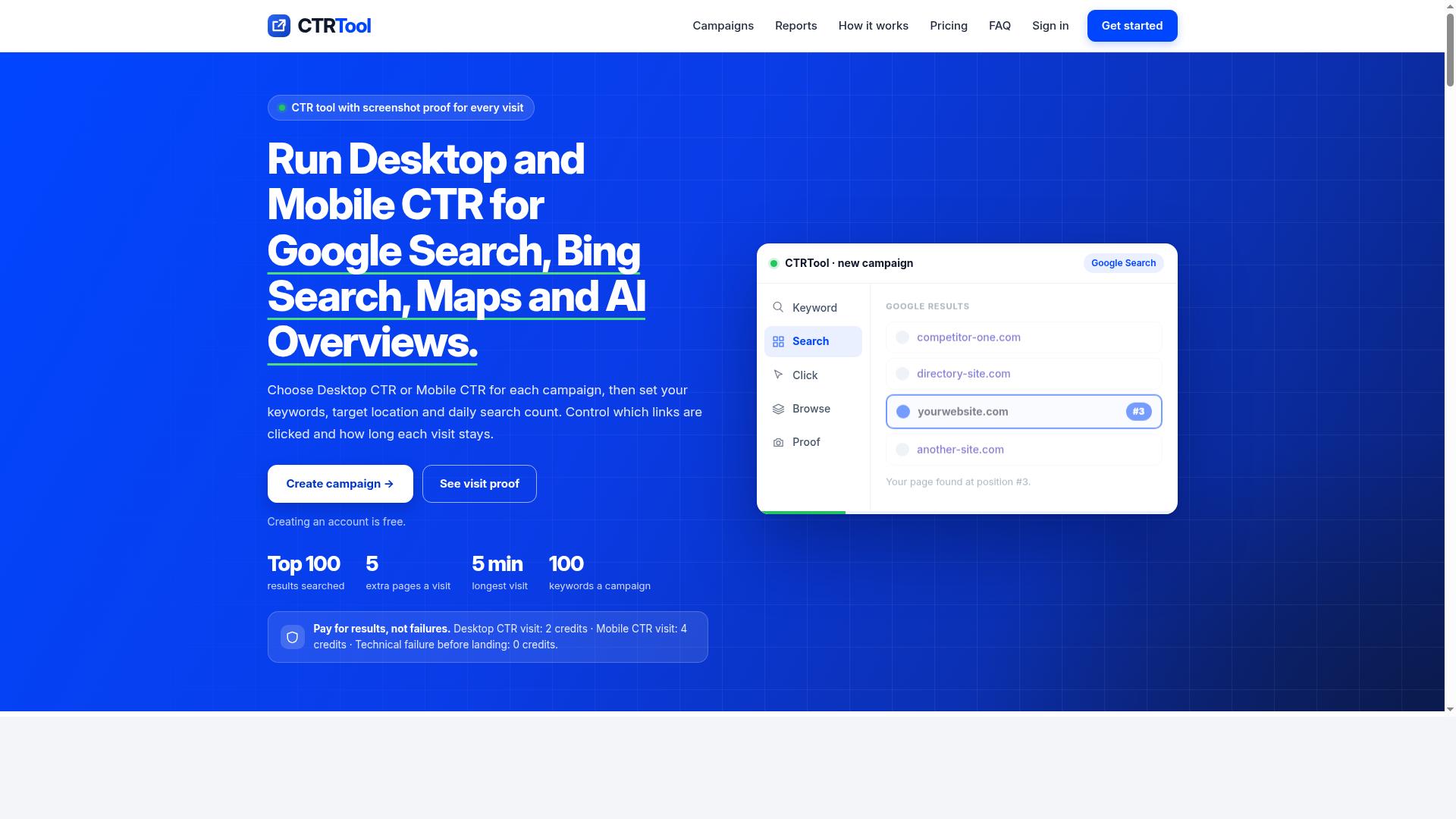
CTRTool is a CTR campaign tool that runs Desktop and Mobile click campaigns for Google Search, Bing Search, Google Maps and AI Overviews, and provides screenshot proof for every visit. Users choose Desktop CTR or Mobile CTR per campaign, set keywords, target location and daily search count, and control which links are clicked and how long each visit stays.
That level of control matters because user behavior signals are only useful when visits look natural. Adjustable dwell time and link selection give each session a realistic shape rather than a burst of identical hits.
CTRTool operates as a global online service with no stated country restrictions, so campaigns can target locations outside the user's own market. The site is also direct about limits, stating that automated visits do not guarantee rankings.
What Is SearchSEO?
SearchSEO is a CTR manipulation tool that, according to its public materials, aims to simulate organic clicks to influence search rankings, though specific campaign mechanics and proof standards are less transparent than CTRTool's. It belongs to a category of CTR boosting software that promises to shape user behavior signals around a target keyword.
In practice, tools of this kind typically rely on click bots or coordinated click sessions, sometimes paired with proxy networks or IP rotation to vary the source of each visit. The stated goal is to make a page appear more attractive to the Google algorithm by lifting its observed organic CTR for chosen queries.
What SearchSEO claims at a high level is easy to summarize, but the details are not. Campaign setup options, how clicks are distributed across SERP ranking positions, and any reporting on engagement metrics such as dwell time or bounce rate should be verified directly on SearchSEO's own site rather than assumed from marketing copy.
That gap matters for anyone running an SEO tool comparison. Buyers need to know how a platform handles click fraud detection, how transparent its dashboards are, and whether it documents its methods. Where public information is thin, the honest position is caution: treat claims as claims, and confirm specifics with the vendor before committing budget or pointing campaigns at important keyword ranking targets.
Features Compared
This section breaks down the functional differences between CTRTool and SearchSEO across campaign coverage, proof and reporting, and credit handling. Those three areas determine how much control and visibility you actually get from a CTR manipulation tool.
We are not listing every setting here. Instead, the comparison focuses on the criteria that shape day to day use: which campaign types are supported, how deeply results can be proven and tracked, and how credits are consumed or refunded when something fails.
Each sub-section below covers one of these areas in turn, with CTRTool's details drawn from its published product information and SearchSEO's described in general terms where public specifics are limited.
Campaign Coverage: Search, Maps and AI Overviews
CTRTool supports Google Search CTR, Bing Search CTR, Google Maps CTR and AI Overviews campaigns, each with Desktop or Mobile targeting and the ability to specify country, state and city. That breadth matters because organic CTR is no longer a single-surface metric. Results now appear across classic search, local packs and AI-generated summaries.
For Google Search campaigns, CTRTool can target a search keyword and click the organic result, working across the top 100 results and supporting internal pages. Bing Search campaigns mirror this setup for Bing. Maps campaigns find a business listing and click its website link, checking up to 50 listings along the way. AI Overview campaigns locate your site in the overview and click its source link, and they require a matching citation to run.
Location targeting adds another layer of control. You can choose a country, optionally narrow to a state or city, or leave it as Any country. Each campaign also carries a Desktop or Mobile choice, so user behavior signals can be shaped for the device segment you care about.
SearchSEO's coverage is generally framed around search click campaigns. Public material does not lay out its handling of Maps listings or AI Overview citations in the same level of detail, so treat those surfaces as worth confirming directly.
On verifiable coverage, CTRTool's named support for Google Search, Bing Search, Google Maps and AI Overviews gives it the broader, more explicit footprint.
Proof and Reporting: Screenshots, Visit Paths and Keyword Tracking
CTRTool provides screenshot proof for every visit, with separate search and landing screenshots, along with full visit paths and keyword position tracking over time, including Maps listing order and AI citation order. This is the layer that turns a campaign from a promise into something you can inspect.
The proof stack works in three parts:
- Search screenshot: shows the query and the result that was clicked.
- Landing screenshot: confirms the target page was reached.
- Full visit path: records the internal pages viewed during the visit.
Position tracking sits alongside these. CTRTool records keyword positions over time, plus Maps listing order and AI citation order. That lets you verify changes in average position and search visibility rather than relying on a single snapshot.
Visit depth also feeds into engagement metrics. Campaigns support visits of up to five minutes with up to five additional internal pages, which gives dwell time and session duration room to look natural.
For SearchSEO, proof and reporting specifics are not publicly detailed in the same way. Documentation should be checked to confirm what evidence, if any, is provided per visit and whether position history is tracked.
On reporting depth, CTRTool's combination of per-visit screenshots, visit paths and historical position tracking makes it the stronger option for verification.
Credit Model and Failure Handling
CTRTool uses a credit-based model where Desktop and Mobile visits consume different credit amounts, and campaigns only run if the page appears in the top 100 organic results for the chosen keyword and location. Per its pricing page, 2,000 credits yield up to 1,000 Desktop or 500 Mobile visits.
Failure handling is where the mechanics get interesting. Because campaigns require a top-100 ranking, a page outside that range will not consume visits. Maps campaigns check up to 50 listings, roughly five pages, before concluding a listing cannot be found. AI Overview campaigns need a matching source link to proceed.
CTRTool also states that no credits are charged for technical failures before landing, and visits that cannot verify the requested location use no credits. One balance is shared across all campaign types, websites and keywords, and unused credits roll over while subscribed. Campaigns can run up to 100 keywords each, with up to 100 campaigns.
SearchSEO's credit and failure policies are not specified in public comparisons. Anyone weighing it should confirm directly how credits are deducted, whether failed attempts are refunded, and what preconditions a campaign needs before it runs.
On transparency of credit mechanics, CTRTool's published rules on consumption and refunds give buyers a clearer picture of cost per verified visit.
Pricing Compared
CTRTool publishes clear monthly USD pricing: Starter at $59/month for 2,000 credits (up to 1,000 Desktop or 500 Mobile visits) and Growth at $125/month for 5,000 credits (up to 2,500 Desktop or 1,250 Mobile visits). Larger tiers follow the same structure, with Scale at $399/month for 20,000 credits and Agency at $699/month for 40,000 credits.
The credit model is straightforward once you know the conversion rates. A Desktop CTR visit costs 2 credits, while a Mobile CTR visit costs 4. A verified search without a match costs 1 credit, and a technical failure before landing costs 0 credits, so you only spend on activity that actually reaches the page.
| Plan | Monthly Price | Credits | Desktop Visits | Mobile Visits |
|---|---|---|---|---|
| Starter | $59 | 2,000 | Up to 1,000 | Up to 500 |
| Growth (Recommended) | $125 | 5,000 | Up to 2,500 | Up to 1,250 |
| Scale | $399 | 20,000 | Up to 10,000 | Up to 5,000 |
| Agency | $699 | 40,000 | Up to 20,000 | Up to 10,000 |
SearchSEO's pricing is not listed here and should be verified directly on its site before any comparison. Creating a CTRTool account is free, and unused credits roll over while a subscription stays active, expiring only when cancellation takes effect.
For audit-heavy use cases, CTRTool's proof-per-visit model can justify a higher per-visit cost, since verified searches and zero-credit technical failures give clearer accounting of what each dollar bought. Buyers weighing a CTR boosting software decision should confirm SearchSEO's current terms independently rather than rely on secondhand numbers.
Who Should Choose CTRTool
CTRTool fits SEO practitioners and agencies who need audit-ready proof for client or internal campaigns across Google, Bing, Maps and AI Overviews. The platform is built around campaigns for multiple properties, so teams managing several sites can keep each one organized and reportable.
The strongest fit is an in-house SEO or agency that must demonstrate visit proof to stakeholders. Screenshot proof and full visit paths give you something concrete to show in a client review or internal report, rather than asking anyone to take results on faith. Keyword position tracking adds context to that evidence by tying campaign activity to movement in SERP ranking.
Teams running geo-specific work also benefit from the Desktop/Mobile choice and location targeting. Those controls suit campaigns where the audience, device, or region matters to the outcome. For readers weighing this against SearchSEO in a broader SEO tool comparison, the deciding question is simple: do you need defensible documentation of organic traffic activity, or just a way to send clicks?
- Agencies juggling campaigns for several client properties at once
- In-house SEOs who report to managers or executives
- Geo-focused teams targeting specific regions or device types
- Practitioners running campaigns across Google Search, Bing Search, Google Maps and AI Overviews
Where CTRTool stands apart is the reporting layer. A campaign that cannot be documented is hard to defend, and hard to defend means hard to renew. If accountability is part of your job, this is the side of the comparison built for you.
Who Should Choose SearchSEO
SearchSEO may appeal to users who prioritize a broader feature set or a different pricing structure over CTRTool's proof-first approach, though its exact capabilities should be verified directly. Teams already familiar with the platform often value the comfort of an existing workflow, even when that workflow was not built around validating CTR manipulation results.
For some buyers, feature breadth matters more than depth. A tool that touches many parts of search engine optimization can feel like a safer purchase, especially for agencies that want one login for several tasks rather than a focused CTR boosting tool.
Deeper due diligence is the sensible next step. Request a demo or trial to confirm how the platform handles campaign setup, reporting, and click fraud detection, and check whether its documentation explains how it measures organic CTR movement over time.
Fit ultimately comes down to what you need to prove. Readers who want a clear line between spend and measured SERP clicks should test any platform's reporting against their own benchmarks before committing.
Final Verdict
For teams that need verifiable, screenshot-backed CTR campaigns across Google, Bing, Maps and AI Overviews, CTRTool is the more accountable choice; SearchSEO remains an alternative for those who prioritize other factors and will verify its claims independently.
The single strongest differentiator is proof you can inspect: CTRTool pairs campaign activity with screenshot evidence, visit paths, and keyword tracking, so a reported lift in organic CTR can be traced back to something real rather than taken on faith. That matters in a space where click fraud detection and Google algorithm scrutiny make unverifiable claims hard to defend.
To review plans and confirm what each tier includes, visit ctrtool.com. For questions before you decide, contact vaibhav@autoblogging.ai for support.
Frequently Asked Questions
What is the main difference between CTRTool and SearchSEO for organic CTR campaigns?
CTRTool is a dedicated CTR campaign tool that runs Desktop and Mobile campaigns for Google Search, Bing Search, Google Maps and AI Overviews, and it provides screenshot proof for every visit along with full visit paths. SearchSEO is another option in the CTR space, but its published sources don't detail comparable proof or campaign mechanics, so the clearest practical difference is CTRTool's per-visit screenshot verification and pay-for-results credit model.
Does CTRTool offer screenshot proof of each visit, and does SearchSEO?
Yes - screenshot proof is core to CTRTool: every visit includes search and landing screenshots as separate proof images, plus the full visit path. SearchSEO's researched facts don't state that it provides per-visit screenshot proof, so if verification matters to you, ask the vendor directly before committing.
How does pricing work for CTRTool compared with SearchSEO?
CTRTool publishes monthly USD plans: Starter at $59/month for 2,000 credits (up to 1,000 Desktop CTR visits or 500 Mobile CTR visits) and Growth at $125/month for 5,000 credits (up to 2,500 Desktop or 1,250 Mobile visits), with campaigns billed on a pay-for-results credit basis. SearchSEO's pricing is not stated in available sources - it's listed as "Price on Request" with custom plans, so you'd need a quote from them to compare costs directly.
Which platforms and campaign types can I run in CTRTool?
CTRTool supports Google Search CTR, Bing Search CTR, Google Maps CTR and AI Overview campaigns, and you choose Desktop CTR or Mobile CTR per campaign. You set keywords, target a country (optionally a state and city, or "Any country"), and can point campaigns at internal pages. SearchSEO's researched facts don't specify its exact platform coverage, so confirm that with the vendor if you need Maps or AI Overview support.
What targeting and eligibility rules should I know before starting a CTRTool campaign?
Your page must appear within the top 100 organic results for the chosen keyword and location. Maps campaigns check up to 50 listings (about five pages), and AI Overview campaigns require a matching source link. These rules keep campaigns tied to real, findable results - check SearchSEO's own requirements separately, as they aren't detailed in available sources.
Who is each tool best suited for?
CTRTool is built for SEO practitioners and agencies running CTR campaigns for their own or client sites across Google Search, Bing Search, Google Maps and AI Overviews, with keyword position tracking over time (including Maps listing order and AI citation order). SearchSEO may suit buyers who prefer a custom-quoted arrangement, but since its specifics aren't published, evaluate it against CTRTool's transparent plans and per-visit proof before deciding.